

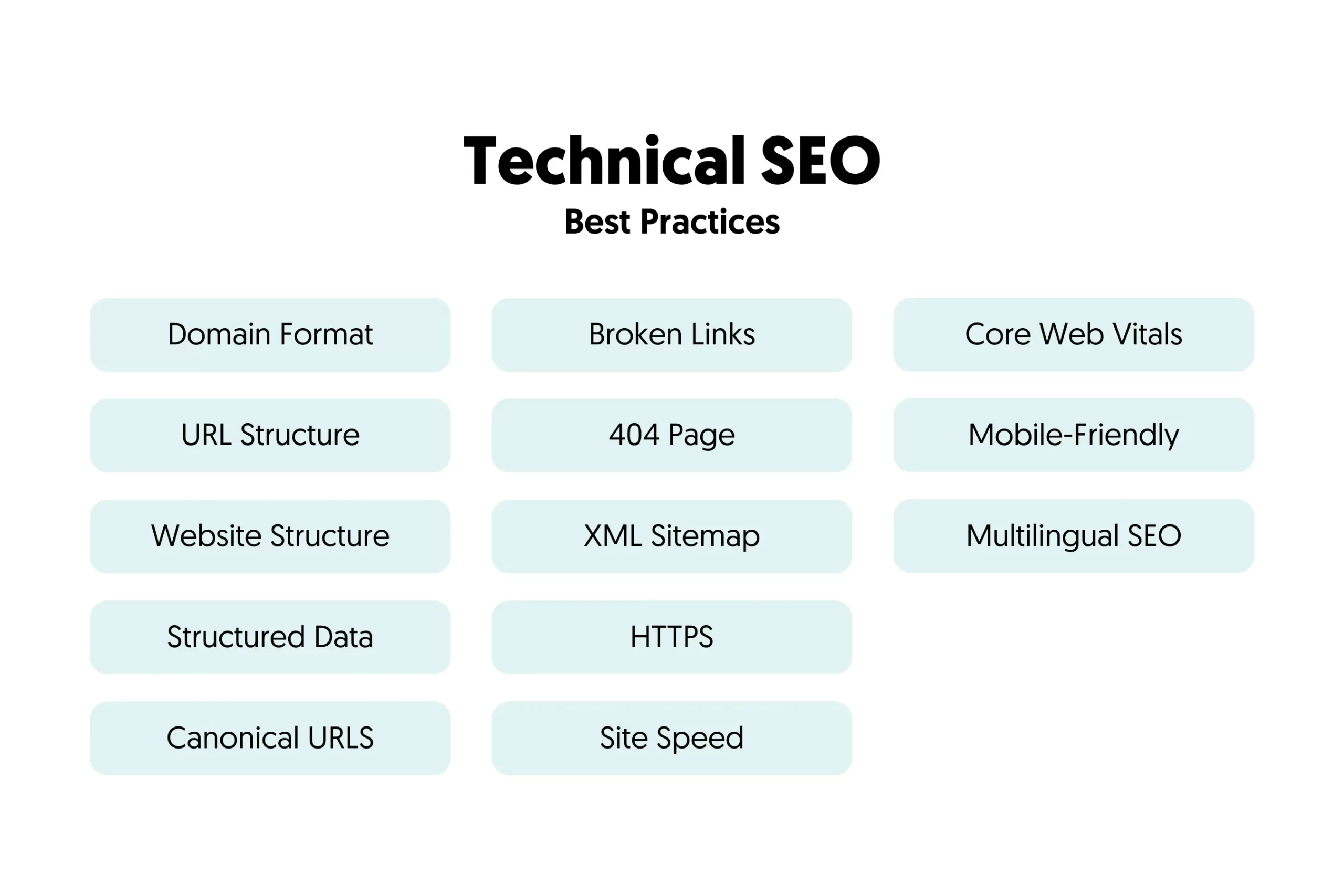
Technical SEO includes optimizing website speed, mobile-friendliness, and ensuring proper indexing by search engines. It also involves fixing crawl errors and enhancing site structure.
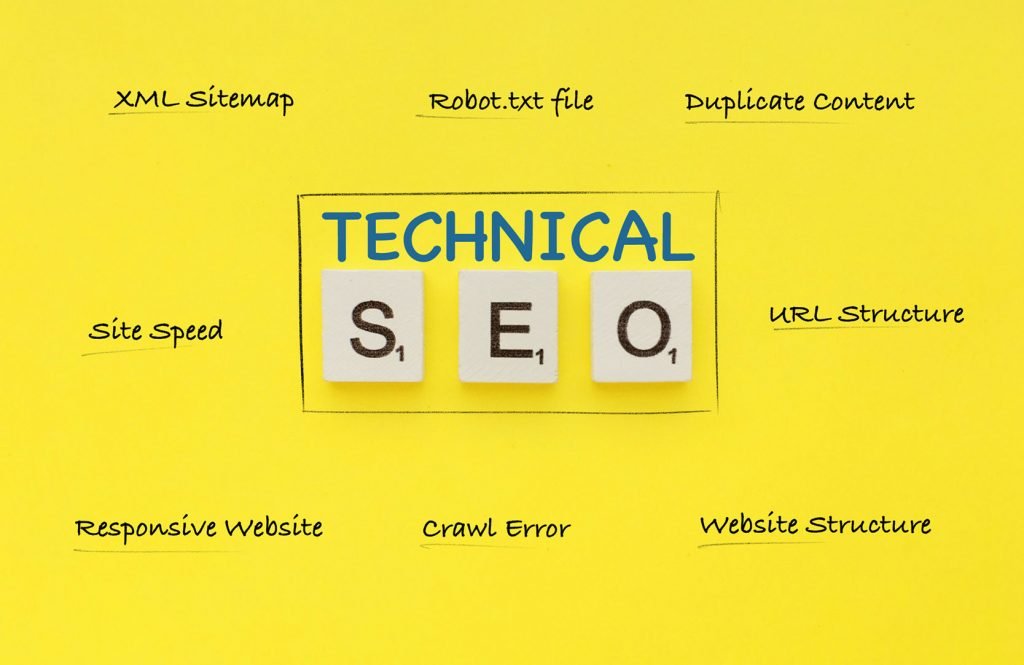
Technical SEO forms the backbone of any successful SEO strategy. It focuses on optimizing the infrastructure of your website. This includes improving site speed, ensuring mobile compatibility, and securing the website with HTTPS. Technical SEO also involves creating an XML sitemap, optimizing robots.
txt files, and managing URL structures. These elements help search engines crawl and index your site more efficiently. Addressing technical SEO issues can lead to higher rankings and a better user experience. Ultimately, it ensures your website is both search engine and user-friendly.
Introduction To Technical Seo
Technical SEO is the backbone of any successful website. It ensures that search engines can crawl and index your site efficiently. This helps in improving your site’s visibility and ranking.
Technical SEO focuses on optimizing the infrastructure of your website. It includes several key elements that make your site more accessible to search engines.
Importance Of Technical Seo
Technical SEO is crucial for your website’s success. Without it, search engines might not find or understand your site. This can lead to poor rankings and reduced traffic.
It also improves user experience by making your site faster and more secure. This builds trust and encourages visitors to stay longer on your site.
- Ensures search engines can crawl your site
- Improves site speed and performance
- Enhances security and user trust
Benefits For Website Performance
Technical SEO offers numerous benefits for your website’s performance. These benefits not only enhance user experience but also improve search engine rankings.
| Benefit | Description |
|---|---|
| Faster Loading Times | Speed is crucial. Faster sites rank higher. |
| Better Crawlability | Search engines can index your site easily. |
| Enhanced Security | Secure sites build trust and rank better. |
Implementing technical SEO practices ensures your website runs smoothly. It helps you stay ahead of competitors and attract more visitors.
Website Crawling
Website crawling is a vital part of technical SEO. It allows search engines to index your site’s pages. If search engines can’t crawl your site, it won’t appear in search results. Let’s dive into the key aspects of website crawling.
Crawlability Factors
Crawlability is essential for search engine indexing. Various factors impact your site’s crawlability:
- Robots.txt File: Controls which pages search engines can crawl.
- Sitemap: A roadmap for search engines to follow.
- URL Structure: Clean URLs are easier to crawl.
- Internal Linking: Helps search engines navigate your site.
- Server Response: A fast server enhances crawlability.
Ensure your robots.txt file is well-configured. Use a sitemap to guide search engines. Maintain a clear and logical URL structure. Implement a robust internal linking strategy. Ensure your server responds quickly.
Optimizing Crawl Budget
Your crawl budget is the number of pages a search engine will crawl. Optimize it to improve indexing:
- Remove Duplicate Content: Avoid wasting crawl budget on duplicates.
- Fix Broken Links: Ensure all links lead to active pages.
- Use Noindex Tags: Prevent search engines from crawling unnecessary pages.
- Update Content Regularly: Fresh content attracts search engines.
- Minimize Redirects: Too many redirects can waste your crawl budget.
Eliminate duplicate content to save your crawl budget. Fix broken links to ensure smooth navigation. Use noindex tags for pages you don’t want indexed. Regularly update your content. Limit the number of redirects.
By focusing on these aspects of website crawling, you can ensure your site is indexed efficiently. This will boost your visibility in search engine results.
Indexing
Understanding indexing is crucial for technical SEO. Indexing ensures search engines can find and display your content. Let’s dive into the details of indexing.
How Indexing Works
Search engines use bots to crawl web pages. These bots, also known as spiders, read the content on your site. They then add it to the search engine’s database. This process is called indexing.
When users search for information, the search engine looks through its indexed pages. It matches the search query with the most relevant pages. These pages then appear in search results.
Ensuring Proper Indexing
Proper indexing is vital for your site’s visibility. Here are some steps to ensure proper indexing:
- Submit a Sitemap: Create and submit a sitemap to search engines. This helps bots find all your pages.
- Use Robots.txt: This file tells search engines which pages to crawl and which to skip.
- Check for Errors: Use tools like Google Search Console to check for indexing errors.
- Fix Broken Links: Ensure all links on your site work correctly. Broken links can hinder indexing.
- Update Content Regularly: Fresh content helps keep your site indexed. Update old content to stay relevant.
Following these steps ensures your site is indexed properly. This boosts your site’s visibility in search results.
Table Of Common Indexing Issues
| Issue | Description | Solution |
|---|---|---|
| Blocked by Robots.txt | Certain pages are blocked from being crawled. | Edit the robots.txt file to allow crawling. |
| Duplicate Content | Similar content appears on multiple pages. | Use canonical tags to specify the main page. |
| Broken Links | Links that lead to non-existent pages. | Fix or remove broken links. |
| Slow Load Times | Pages take too long to load. | Optimize images and scripts for faster loading. |
Addressing these issues improves your site’s indexing. This ensures better visibility in search engine results.
Site Architecture
Site architecture is a crucial element of technical SEO. It helps search engines and users navigate your site. A well-structured site makes information easy to find and understand. Below, we explore the key aspects of organizing site structure and improving navigation.
Organizing Site Structure
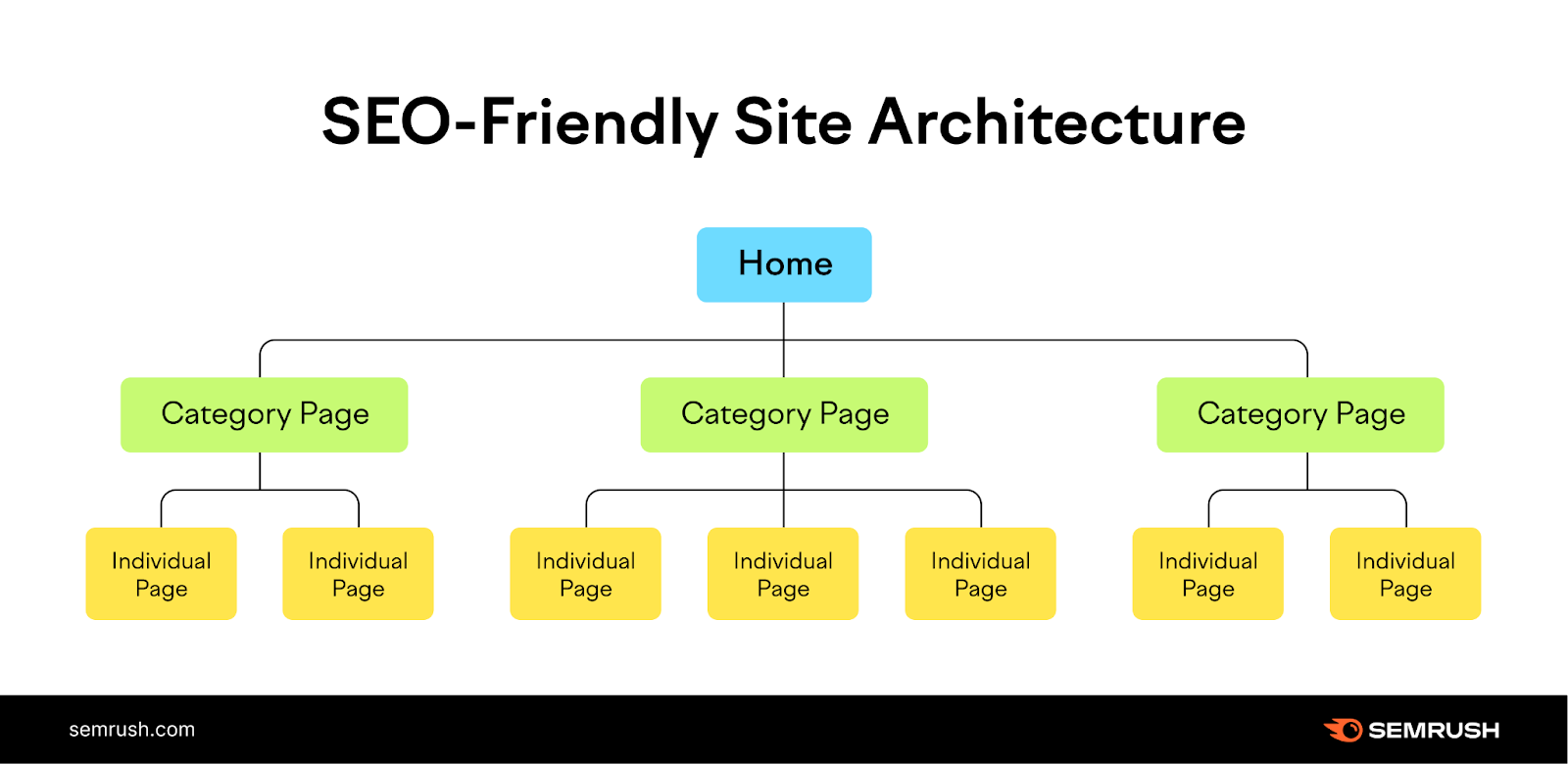
Organizing your site’s structure involves arranging your pages logically. This can boost your site’s visibility and user experience. Here’s how you can achieve an organized site structure:
- Hierarchy: Create a clear hierarchy with main categories and subcategories.
- URL Structure: Use short, descriptive URLs that reflect the page’s content.
- Internal Linking: Link related pages within your site to provide context.
Below is a simple table to illustrate a basic site hierarchy:
| Level | Example |
|---|---|
| Main Category | Products |
| Subcategory | Electronics |
| Sub-Subcategory | Mobile Phones |
Improving Navigation
Improving navigation ensures users can easily find what they need. Good navigation also helps search engines index your site better. Here are some tips to improve navigation:
- Breadcrumbs: Use breadcrumbs to show users their location within your site.
- Menu Design: Create a simple, intuitive menu with clear labels.
- Search Bar: Add a search bar to help users find specific content quickly.
A simple navigation menu might look like this:
Incorporating these elements helps create a seamless user experience. It also supports better SEO performance.
Url Structure
Technical SEO ensures your website is search engine friendly. One crucial element is the URL structure. A well-structured URL helps both search engines and users understand your content. It can improve your site’s search engine rankings and user experience.
Best Practices For Urls
Follow these best practices to create SEO-friendly URLs:
- Keep URLs short and descriptive.
- Use hyphens to separate words.
- Include relevant keywords in URLs.
- Avoid using special characters.
- Use lowercase letters only.
Short URLs are easier to read and remember. Descriptive URLs give a clear idea of the page content. Hyphens improve readability and prevent confusion. Keywords in URLs signal to search engines what the page is about. Avoid special characters as they can cause issues. Lowercase letters prevent duplicate content issues.
Avoiding Common Url Mistakes
Avoid these common mistakes in URL structure:
- Using long, complex URLs.
- Using underscores instead of hyphens.
- Including unnecessary words.
- Changing URLs frequently.
- Using dynamic URLs with many parameters.
Long and complex URLs are hard to read and remember. Underscores are not as easily recognized by search engines. Unnecessary words add clutter and reduce clarity. Frequent URL changes disrupt user experience and SEO. Dynamic URLs with many parameters can confuse search engines and users.
Implementing these best practices and avoiding common mistakes can significantly improve your website’s SEO performance.
Mobile Optimization
Technical SEO includes a key component: mobile optimization. With the rise of mobile users, optimizing for mobile is crucial. Your website must be user-friendly on all devices. This includes smartphones and tablets. Mobile optimization impacts your search engine rankings directly.
Responsive Design
A responsive design ensures your website adapts to any screen size. This means your site looks great on desktop, tablet, and mobile. A responsive design improves user experience. It helps reduce bounce rates and keeps users on your site longer.
| Benefits of Responsive Design |
|---|
| Improves User Experience |
| Boosts SEO Rankings |
| Reduces Bounce Rates |
| Increases Time Spent on Site |
Mobile-first Indexing
Mobile-first indexing means Google uses the mobile version of your site for indexing and ranking. This change reflects the growing number of mobile users. Your site must be mobile-friendly to rank well. Ensure your mobile site has the same content as your desktop site.
- Check your site’s mobile-friendliness using Google’s Mobile-Friendly Test.
- Ensure your mobile site loads quickly.
- Optimize images and use responsive images.
- Use legible fonts and size buttons for touch screens.
- Test your site on different mobile devices.
In summary, mobile optimization is crucial for technical SEO. Focus on responsive design and mobile-first indexing. This ensures your site ranks well and provides a great user experience.
Page Speed
Page speed is a critical aspect of technical SEO. Faster pages provide a better user experience. They also rank higher on search engines. Let’s dive into the specifics of page speed.
Importance Of Load Time
Load time is the duration a webpage takes to display fully. A faster load time improves user experience. Users are likely to leave slow websites. This increases your bounce rate. A high bounce rate affects your search engine ranking.
Google considers load time in its ranking algorithm. Websites that load faster perform better in search results. This means more traffic and higher conversion rates. Faster websites also use less bandwidth. This is important for mobile users with limited data plans.
Techniques To Improve Speed
Several techniques can improve your website’s speed. Here are some effective methods:
- Optimize Images: Use compressed images to reduce load time.
- Minify CSS, JavaScript, and HTML: Remove unnecessary characters and spaces.
- Enable Browser Caching: Store static files in the user’s browser.
- Use a Content Delivery Network (CDN): Distribute content globally for faster access.
- Reduce Server Response Time: Aim for a server response time under 200ms.
Here is a table summarizing these techniques:
| Technique | Action |
|---|---|
| Optimize Images | Compress images to reduce file size |
| Minify CSS, JavaScript, and HTML | Remove unnecessary characters |
| Enable Browser Caching | Store static files in the user’s browser |
| Use a CDN | Distribute content globally |
| Reduce Server Response Time | Keep response time under 200ms |
These techniques can significantly boost your page speed. Implementing them will help your website perform better. A faster website means more satisfied users and higher rankings.
Https And Security
In the realm of technical SEO, ensuring your website’s security is crucial. One of the key aspects is implementing HTTPS. This not only protects your users but also boosts your search rankings. Let’s delve deeper into how HTTPS and security play a role in technical SEO.
Implementing Https
HTTPS stands for HyperText Transfer Protocol Secure. It encrypts data between the user’s browser and your server. This encryption is vital for protecting sensitive information.
To implement HTTPS, you need an SSL certificate. This certificate verifies your website’s identity. You can obtain SSL certificates from trusted providers.
Once you have the SSL certificate, install it on your server. Redirect all HTTP traffic to HTTPS. This ensures all data is encrypted.
Here’s a simple code snippet to set up a redirect in an .htaccess file:
RewriteEngine On
RewriteCond %{HTTPS} off
RewriteRule ^(.)$ https://%{HTTP_HOST}%{REQUEST_URI} [L,R=301]
Ensuring Site Security
Ensuring your site’s security involves more than just HTTPS. Regularly update your CMS, plugins, and themes. This protects against vulnerabilities.
Use strong passwords and enable two-factor authentication (2FA). These steps add extra layers of security.
- Keep software updated
- Use strong passwords
- Enable two-factor authentication (2FA)
- Regularly back up your site
Regular security audits are essential. These audits help identify and fix potential issues.
Below is a simple table summarizing key security practices:
| Security Practice | Description |
|---|---|
| Update Software | Keep CMS, plugins, and themes up-to-date. |
| Strong Passwords | Use complex and unique passwords. |
| Enable 2FA | Add an extra layer of security. |
| Regular Backups | Back up your site regularly to prevent data loss. |
Implementing these practices enhances your site’s security. A secure site ranks better and builds trust with users.
Xml Sitemaps
XML Sitemaps are essential for any website’s technical SEO. They help search engines index your site’s content efficiently. A well-structured sitemap acts like a roadmap, guiding search engines through your web pages.
Creating Effective Sitemaps
An effective sitemap should list all important pages. It should be updated regularly. Use tools like Google XML Sitemaps or Yoast SEO to generate sitemaps easily.
- Include all important URLs
- Use proper tags for each URL
- Make sure the sitemap is updated regularly
Submitting Sitemaps To Search Engines
After creating your sitemap, submit it to search engines. This helps them find and index your pages faster.
- Go to Google Search Console
- Navigate to the Sitemaps section
- Enter the URL of your sitemap
- Click Submit
For Bing, use Bing Webmaster Tools. The steps are similar.
Structured Data
Structured data is a way to organize information on your website. It helps search engines understand your content better. This makes your site more visible in search results.
Using Schema Markup
Schema Markup is a form of structured data. It uses a specific vocabulary to help search engines understand your content. Schema.org provides a collection of shared vocabularies that can be used across different websites.
By adding schema markup to your HTML, you can create rich snippets. Rich snippets show extra information in search results. This can include product prices, reviews, and events.
| Type | Benefit |
|---|---|
| Product | Shows price and availability |
| Recipe | Shows ratings and cooking time |
| Event | Displays dates and locations |
Enhancing Search Visibility
Using structured data can enhance your search visibility. It helps your website stand out in search results. This can increase your click-through rate and drive more traffic to your site.
Search engines like Google, Bing, and Yahoo use structured data. They use it to display rich snippets and other search enhancements. These enhancements make your search listing more attractive to users.
- Add structured data to your site’s HTML.
- Use tools like Google’s Structured Data Testing Tool.
- Ensure your structured data is error-free.
Implementing structured data can give you an edge over competitors. It makes your content more understandable to search engines. This can lead to better rankings and more visibility.
{
  "@context": "https://schema.org",
  "@type": "Article",
  "headline": "What Does Technical SEO Include",
  "description": "Learn about structured data and how it boosts search visibility.",
  "author": {
    "@type": "Person",
    "name": "Your Name"
  }
}
Frequently Asked Questions
What Is Covered In Technical Seo?
Technical SEO covers website speed, mobile-friendliness, crawlability, indexing, site architecture, structured data, and security. These elements improve search engine rankings.
What Is The Factor In Technical Seo?
Technical SEO factors include site speed, mobile-friendliness, crawlability, secure connections (HTTPS), and structured data. These elements improve search engine rankings.
What Is The Difference Between Technical Seo And Seo?
Technical SEO focuses on website infrastructure, improving crawling and indexing. SEO covers broader strategies, including content and backlinks.
What Are The Foundations Of Technical Seo?
The foundations of technical SEO include optimizing site speed, mobile-friendliness, secure HTTPS, structured data, and XML sitemaps.
What Is Technical Seo?
Technical SEO involves optimizing website infrastructure. It improves search engine crawling, indexing, and ranking.
Conclusion
Mastering technical SEO is essential for your website’s success. It improves visibility, user experience, and search rankings. Focus on site speed, mobile-friendliness, and crawlability. Implement structured data and fix broken links. Regularly update your website to stay ahead. Prioritize technical SEO to ensure long-term growth and better search engine performance.

