

Technical SEO KPIs include metrics such as page load speed, crawl errors, mobile usability, and indexation status. These indicators help track the health and performance of a website.
Technical SEO focuses on optimizing the infrastructure of a website to improve search engine rankings. Key Performance Indicators (KPIs) are essential for measuring the effectiveness of these optimizations. Metrics like page load speed, crawl errors, mobile usability, and indexation status provide valuable insights.
Fast page load times enhance user experience and search rankings. Detecting and fixing crawl errors ensures search engines can access all important pages. Mobile usability is crucial as mobile traffic continues to grow. Proper indexation ensures that search engines recognize and rank your content. Monitoring these KPIs helps maintain a robust SEO strategy.
Introduction To Technical Seo Kpis
Technical SEO KPIs are crucial for measuring your site’s health. They help you track and improve performance. This section covers the basics you need to know.
Importance Of Kpis
KPIs are vital for monitoring your site’s progress. They offer clear metrics to gauge success. Without KPIs, you can’t measure improvements or identify issues. They help you focus on what’s important.
Role In Site Performance
KPIs play a key role in enhancing site performance. They highlight areas needing attention. This ensures your site runs smoothly and efficiently.
| Technical SEO KPI | Importance | Role in Performance |
|---|---|---|
| Page Load Speed | Crucial for user experience | Improves bounce rates |
| Mobile Usability | Essential for mobile users | Boosts mobile traffic |
| Crawl Errors | Important for site indexing | Ensures all pages are indexed |
Tracking these KPIs can lead to better site performance. It ensures a better user experience and higher rankings.
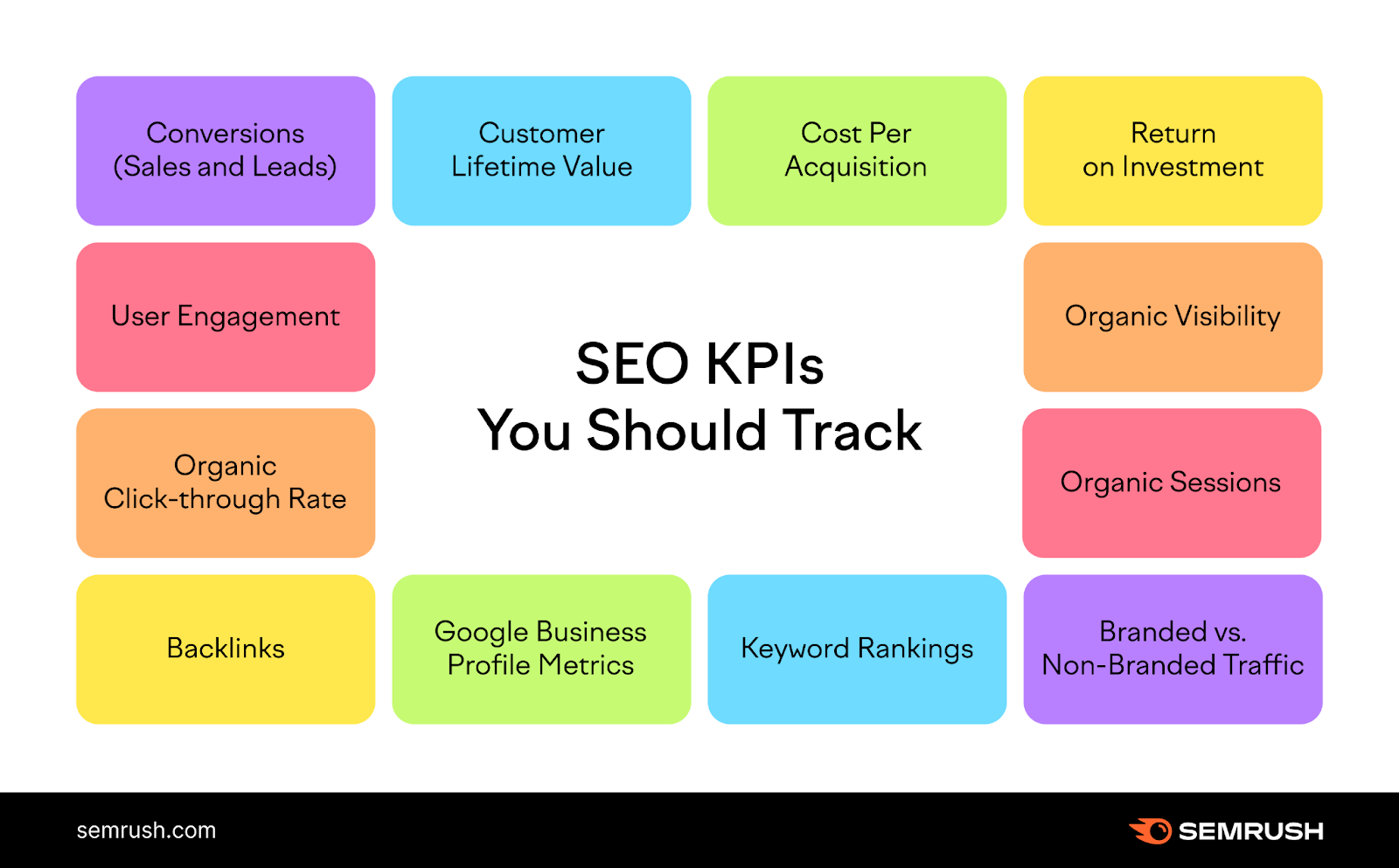
Core Web Vitals
Core Web Vitals are a set of key metrics defined by Google. They measure the user experience on your website. These metrics include Largest Contentful Paint (LCP), First Input Delay (FID), and Cumulative Layout Shift (CLS). Optimizing these metrics can improve your website’s search engine ranking and user satisfaction.
Largest Contentful Paint (lcp)
Largest Contentful Paint (LCP) measures loading performance. It tracks how long it takes for the largest visible element to load. Ideally, LCP should happen within 2.5 seconds of page load. LCP can be affected by:
- Slow server response times
- Render-blocking JavaScript and CSS
- Slow resource load times
Improving LCP involves optimizing these elements. This can make your website faster and more enjoyable to use.
First Input Delay (fid)
First Input Delay (FID) measures interactivity. It tracks the time it takes for a user to interact with your page. This could be clicking a link or button. A good FID score is less than 100 milliseconds. Factors that affect FID include:
- Heavy JavaScript execution
- Long tasks blocking the main thread
- Third-party code
To improve FID, reduce JavaScript execution time and use web workers. This will make your website more responsive.
Cumulative Layout Shift (cls)
Cumulative Layout Shift (CLS) measures visual stability. It tracks how much visible content shifts on the page. A good CLS score is less than 0.1. Factors that contribute to poor CLS include:
- Images without dimensions
- Ads, embeds, and iframes without dimensions
- Dynamic content
To improve CLS, always include size attributes for images and ads. This helps ensure your website’s content is stable and user-friendly.
Site Speed Metrics
Site speed metrics are crucial for your website’s success. They directly impact user experience and search engine rankings. Fast-loading pages keep visitors engaged and reduce bounce rates. Let’s explore two key site speed metrics: Page Load Time and Time to First Byte (TTFB).
Page Load Time
Page Load Time measures how long it takes for a page to fully display. This includes all elements like images, text, and scripts. Fast load times improve user satisfaction and retention.
- Page Load Time is essential for good user experience.
- Faster pages rank higher on search engines.
Time To First Byte (ttfb)
Time to First Byte (TTFB) measures the time it takes for the browser to receive the first byte of data from the server. A lower TTFB means a faster response time. This metric influences the overall page load speed and user experience.
- TTFB is a critical metric for server performance.
- Lower TTFB results in quicker page load times.
Crawlability And Indexability
Understanding Crawlability and Indexability is vital for effective technical SEO. These metrics ensure search engines can find and index your web pages. Proper optimization leads to better visibility and higher rankings. Let’s dive into key KPIs under this topic.
Crawl Errors
Crawl errors occur when search engines struggle to access your website. These errors prevent pages from being indexed. Monitoring and resolving them is crucial.
- DNS Errors: Issues with the domain name server.
- Server Errors: Problems with your web server.
- 404 Errors: Missing pages on your site.
Use tools like Google Search Console to identify these errors. Regular checks ensure your site remains crawlable.
Index Coverage
Index Coverage reports show the status of your website’s pages. This helps you understand which pages are indexed and which are not.
| Status | Description |
|---|---|
| Valid | Pages successfully indexed. |
| Warning | Pages with issues but still indexed. |
| Error | Pages that can’t be indexed. |
| Excluded | Pages intentionally not indexed. |
Addressing index coverage issues ensures your important pages appear in search results. Regularly review this data to maintain a healthy site.
Mobile Usability
Mobile Usability is crucial for SEO success. Websites must be user-friendly on all devices. Mobile users expect quick and easy navigation. Google prioritizes mobile-friendly sites in search rankings. Let’s explore key KPIs for mobile usability.
Mobile-friendly Test
Google’s Mobile-Friendly Test tool is essential. It checks if your site is mobile-friendly. Enter your URL, and the tool shows results. It identifies issues affecting mobile users. Fix these issues to improve user experience. The tool provides suggestions for improvement.
Here are some common problems:
- Text too small to read
- Clickable elements too close
- Content wider than screen
Addressing these problems enhances mobile usability. Regularly test your site using this tool.
Responsive Design
Responsive Design ensures your site adapts to any screen size. It provides a seamless experience on all devices. A responsive site adjusts layout and content automatically. This improves user engagement and reduces bounce rates.
Key aspects of responsive design include:
- Flexible grid layouts
- Scalable images
- Media queries
Use CSS media queries to adapt styles for different devices. This ensures your site looks good everywhere. Flexible grids and images adjust based on screen size.
Here’s an example of a media query:
@media only screen and (max-width: 600px) {
  body {
    background-color: lightblue;
  }
}
Implementing these techniques ensures a positive user experience. Monitor your site’s performance on various devices. Responsive design is a must for modern websites.
Https Implementation
Implementing HTTPS is crucial for website security and user trust. It ensures data encryption between the user and the server. HTTPS is also a ranking factor in Google. This makes it essential for Technical SEO KPIs.
Ssl Certificate
An SSL Certificate is necessary for HTTPS implementation. It encrypts data, protecting user information. Without it, data can be intercepted by hackers. Obtaining an SSL certificate is simple. Many hosting providers offer it for free.
| SSL Certificate Type | Features |
|---|---|
| Domain Validated (DV) | Basic encryption, quick issuance |
| Organization Validated (OV) | Higher validation, better security |
| Extended Validation (EV) | Highest validation, green address bar |
Security Warnings
Browsers show security warnings for non-HTTPS sites. These warnings deter users from visiting your site. They can harm your site’s reputation. Ensure your site is HTTPS to avoid these warnings.
- Not Secure Warning: Displayed on HTTP sites.
- Mixed Content Warning: Occurs when HTTPS site loads HTTP resources.
To avoid these issues, ensure all resources are loaded over HTTPS. This includes images, scripts, and stylesheets. Regularly check your site for mixed content issues. Use online tools for this purpose. Address warnings promptly to maintain user trust.
Structured Data Markup
Structured Data Markup is a crucial aspect of Technical SEO. It helps search engines understand your website’s content better. Implementing structured data can improve your site’s visibility and ranking. Let’s delve into two important components: Schema.org and Rich Snippets.
Schema.org
Schema.org is a collaborative project launched by major search engines. It provides a collection of shared vocabularies. These vocabularies help webmasters structure data for their websites. Using Schema.org, you can mark up elements like products, reviews, and events.
Why is Schema.org important? It enables search engines to understand your content’s context better. This understanding can lead to improved search engine results and enhanced user engagement. Here are some common types of Schema.org markups:
- Product: Information about a product, such as price and availability.
- Review: User reviews and ratings for products or services.
- Event: Details about events, including date, location, and performers.
Rich Snippets
Rich Snippets are enhanced search results that display additional information. They provide users with more details about a webpage’s content. Rich Snippets can include reviews, ratings, and prices. They improve the user’s search experience and increase click-through rates.
Here’s a quick comparison to understand the impact of Rich Snippets:
| Feature | Standard Snippet | Rich Snippet |
|---|---|---|
| Visual Appeal | Plain Text | Enhanced with images and ratings |
| Click-Through Rate | Lower | Higher |
| Information | Basic | Detailed |
Implementing Rich Snippets can significantly enhance your search visibility. Follow these steps to create Rich Snippets:
- Select the appropriate Schema.org type for your content.
- Use the structured data markup in your HTML code.
- Validate your markup using Google’s Structured Data Testing Tool.
Xml Sitemaps
XML sitemaps are essential for improving your website’s search engine visibility. They help search engines understand your site’s structure and index it efficiently. In this section, we will discuss the importance of XML sitemaps and how to manage them effectively.
Sitemap Submission
Submitting your XML sitemap is crucial for SEO. It helps search engines find and index your web pages. Follow these steps to submit your sitemap:
- Create an XML sitemap using a sitemap generator tool.
- Ensure your sitemap is in the root directory of your website.
- Log in to your Google Search Console account.
- Navigate to the “Sitemaps” section under “Index.”
- Enter the URL of your sitemap and click “Submit.”
Regularly check your sitemap status in Google Search Console. This ensures all your web pages are indexed correctly.
Sitemap Errors
Errors in your sitemap can affect your site’s indexing. Common errors include:
- 404 errors: Missing pages in your sitemap.
- 500 errors: Server issues preventing sitemap access.
- URL not found: Incorrect URLs in your sitemap.
To fix sitemap errors, follow these steps:
- Identify errors using Google Search Console.
- Correct the issues in your sitemap file.
- Resubmit the updated sitemap.
Regularly monitor your sitemap for errors. This ensures your site remains indexed properly.
Duplicate Content Issues
Duplicate content can harm your site’s SEO. Search engines get confused with multiple versions of the same content. This can lower your rankings. It can also lead to less traffic. Let’s explore how to handle duplicate content.
Canonical Tags
Canonical tags help search engines understand which version of a page is the main one. This is crucial for sites with similar content on multiple URLs. Here’s how to use them:
- Add a canonical tag in the HTML head section.
- Point it to the main page URL.
- Ensure all duplicate pages have the correct canonical tag.
This tells search engines which page to rank. It solves the problem of duplicate content.
Content Duplication
Content duplication can occur in various ways. It could be intentional or accidental. Here are some common causes:
| Cause | Example |
|---|---|
| URL parameters | ?utm_source=google |
| Session IDs | ?session=12345 |
| Printer-friendly versions | /print/page.html |
Fixing duplication involves using canonical tags, 301 redirects, and consistent linking. This ensures search engines see only one version of your content.
Broken Links
Broken links are a significant issue for any website. They disrupt user experience and can harm your SEO efforts. Identifying and fixing broken links should be a priority. Here, we will discuss two critical types of broken links: 404 Errors and Redirects.
404 Errors
A 404 error occurs when a page no longer exists. These errors can frustrate users and lead to higher bounce rates. To identify 404 errors, use tools like Google Search Console or Screaming Frog.
- Check for broken URLs regularly.
- Redirect users to relevant content.
- Use a custom 404 page to retain visitors.
| Tool | Function |
|---|---|
| Google Search Console | Identify 404 errors |
| Screaming Frog | Find broken links |
Redirects
Redirects are essential for maintaining site structure. They help guide users to the right pages. There are different types of redirects, but the most common are 301 and 302 redirects.
- 301 Redirect: This is a permanent redirect. It passes most of the link equity.
- 302 Redirect: This is a temporary redirect. It does not pass much link equity.
Use 301 redirects for pages that have moved permanently. Use 302 redirects for temporary changes. Ensure your redirects do not create loops or chains, as these can harm your site’s SEO.
Monitoring And Reporting
Effective Monitoring and Reporting are crucial for understanding the success of your technical SEO strategies. It involves tracking key performance indicators (KPIs) and generating reports that highlight the strengths and weaknesses of your SEO efforts.
Seo Tools
Various SEO tools help in monitoring technical SEO KPIs. These tools provide insights into site performance, user behavior, and more. Here are some popular tools:
- Google Analytics: Tracks website traffic and user behavior.
- Google Search Console: Monitors search performance and indexing issues.
- SEMrush: Provides comprehensive SEO audits and keyword tracking.
- Ahrefs: Offers detailed backlink analysis and site audits.
Regular Audits
Conducting regular audits is essential for maintaining your site’s health. Audits help identify issues that may affect your site’s performance. Here are some key areas to focus on during audits:
- Site Speed: Ensure your site loads quickly.
- Mobile-Friendliness: Check that your site is optimized for mobile devices.
- Indexability: Confirm that search engines can index your pages.
- Broken Links: Identify and fix broken links.
Use the following table to keep track of your audit schedule:
| Audit Type | Frequency |
|---|---|
| Site Speed | Monthly |
| Mobile-Friendliness | Quarterly |
| Indexability | Monthly |
| Broken Links | Weekly |
Regular monitoring and reporting ensure your technical SEO efforts are on track. Using the right tools and conducting audits will help you maintain and improve your site’s performance.

Frequently Asked Questions
How To Measure Technical Seo Performance?
Measure technical SEO performance by tracking site speed, mobile-friendliness, crawl errors, indexing status, and structured data. Use tools like Google Search Console, PageSpeed Insights, and Screaming Frog for insights. Regularly monitor and optimize based on these metrics to ensure improved search engine rankings and user experience.
What Kpis Should Be Measured For Seo?
Measure organic traffic, keyword rankings, click-through rate (CTR), bounce rate, and conversion rate for effective SEO KPIs. Analyze backlinks, page speed, and user engagement.
What Is Technical Seo Points?
Technical SEO points include optimizing site speed, mobile-friendliness, XML sitemaps, structured data, secure connections, and fixing crawl errors.
How Do You Optimize Technical Seo?
Optimize technical SEO by improving site speed, ensuring mobile-friendliness, using structured data, fixing broken links, and optimizing URL structures.
What Are Technical Seo Kpis?
Technical SEO KPIs measure the effectiveness of your website’s technical aspects in search engine optimization.
Conclusion
Tracking technical SEO KPIs is crucial for website success. Regularly monitor these metrics to improve site performance. Focus on page speed, crawl errors, and mobile usability. Consistent evaluation helps maintain a competitive edge. Implement these practices to enhance user experience and achieve higher search engine rankings.

