

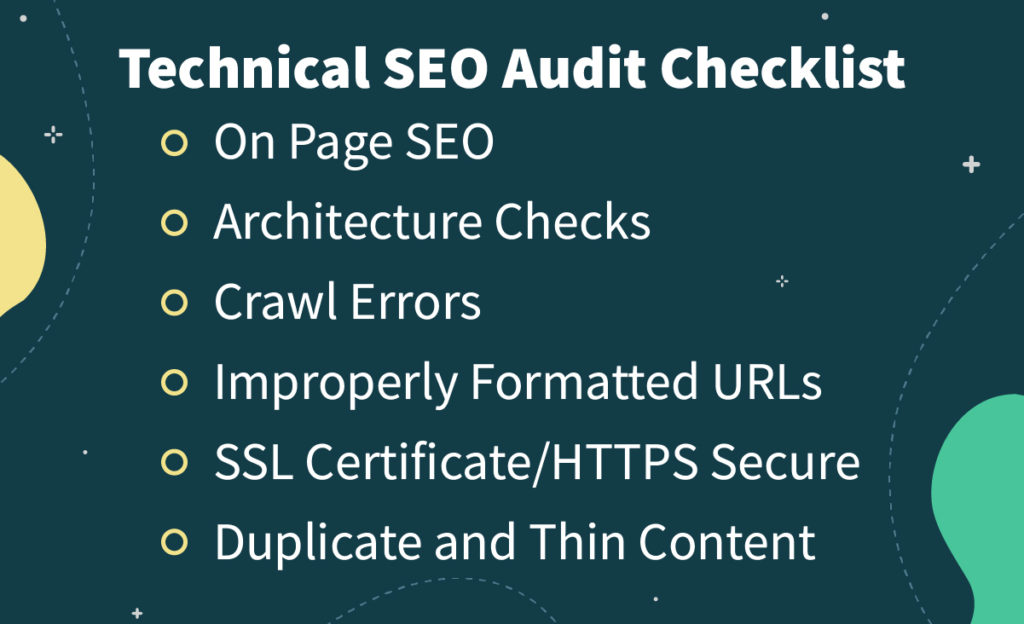
To conduct a technical SEO site audit, examine website elements like site speed, mobile-friendliness, and crawl errors. Use tools like Google Search Console and Screaming Frog.
A technical SEO site audit is essential for identifying and fixing issues that impact a website’s performance. It helps improve search engine rankings and user experience. Begin by evaluating site speed, as slow loading times can deter visitors. Assess mobile-friendliness to ensure the site is accessible on all devices.
Check for crawl errors that can prevent search engines from indexing your site properly. Use tools like Google Search Console and Screaming Frog to gather data and insights. A thorough audit can significantly enhance your website’s overall SEO health and visibility.

Introduction To Technical Seo
Technical SEO is the foundation of your website’s performance. It involves optimizing the infrastructure of your website for search engines. This ensures search engines can crawl and index your site effectively. Without technical SEO, your content may not be visible to search engines.
Importance Of Technical Seo
Technical SEO ensures your website is accessible to search engines. It helps search engines understand your site. This can lead to higher rankings in search results. A well-optimized site can improve user experience. It can also increase organic traffic.
- Improves Crawlability: Ensures search engines can find your pages.
- Enhances Indexing: Helps search engines understand your content.
- Boosts Performance: Reduces load times and improves speed.
- Fixes Errors: Identifies and resolves technical issues.
Key Elements To Consider
Several key elements are crucial for technical SEO. Each element plays a role in your site’s performance.
| Element | Description |
|---|---|
| Crawlability | Ensures search engines can find and access your pages. |
| Indexability | Helps search engines understand and index your content. |
| Site Speed | Improves user experience by reducing load times. |
| Mobile-Friendliness | Ensures your site works well on mobile devices. |
| SSL/HTTPS | Provides a secure connection for your users. |
| Structured Data | Helps search engines understand your content better. |
- Crawlability: Use robots.txt to manage crawling.
- Indexability: Use meta tags to control indexing.
- Site Speed: Optimize images and use caching.
- Mobile-Friendliness: Use responsive design.
- SSL/HTTPS: Ensure your site uses HTTPS.
- Structured Data: Use schema markup to enhance search results.
Preparing For The Audit
Preparing for a technical SEO site audit is crucial. This phase sets the foundation for a thorough and effective audit. Proper preparation ensures that you have all the tools and information needed to identify and address technical issues on your site.
Tools And Resources
Gathering the right tools and resources is the first step. These tools help identify problems and analyze data accurately. Here are some essential tools:
- Google Analytics: Tracks website traffic and user behavior.
- Google Search Console: Identifies indexing and crawling issues.
- SEMrush: Offers comprehensive site audits and competitor analysis.
- Screaming Frog: Crawls websites to uncover technical issues.
- Ahrefs: Provides backlink analysis and site audit features.
These tools help you gather all the necessary data. Ensure you are familiar with them before starting the audit.
Setting Objectives
Before starting the audit, set clear objectives. These objectives guide the audit process and help prioritize tasks. Consider the following questions:
- What are the main goals of your website? (e.g., increase traffic, improve user experience)
- What specific issues do you suspect? (e.g., slow loading pages, broken links)
- How will you measure success? (e.g., improved rankings, higher conversion rates)
Define your objectives clearly. This will help you stay focused and efficient during the audit.
Crawling And Indexing
Understanding crawling and indexing is crucial for a successful technical SEO audit. Search engines use crawlers to discover web pages. Proper indexing ensures your content appears in search results. Let’s dive into the details of checking crawlability and analyzing indexation.
Checking Crawlability
Crawlability determines if search engine bots can access your site. Use tools like Google Search Console to check crawl errors. Ensure your robots.txt file is correctly configured. This file guides crawlers on which pages to visit.
- Open Google Search Console.
- Navigate to the “Coverage” report.
- Check for any crawl errors listed.
Fixing crawl errors is essential. Look for “404 Not Found” or “500 Internal Server Error” messages. These errors prevent search engines from accessing your content. Also, verify that your sitemap is up-to-date and submitted.
| Error Type | Description | Action Required |
|---|---|---|
| 404 Not Found | Page not found | Fix broken links |
| 500 Internal Server Error | Server issue | Resolve server problems |
Analyzing Indexation
Indexation ensures your pages appear in search results. Verify that important pages are indexed. Use the “Coverage” report in Google Search Console. It shows which pages are indexed and which are not.
- Open Google Search Console.
- Go to the “Coverage” report.
- Review the list of indexed and non-indexed pages.
For pages not indexed, check their noindex tags. Remove noindex tags from pages you want indexed. Also, check for any URL parameters blocking indexation. Use the URL Inspection tool in Google Search Console to review individual pages.
By ensuring proper crawling and indexing, you improve your site’s search visibility. This step is vital for your technical SEO audit success.
Analyzing Website Structure
Conducting a technical SEO site audit involves many tasks. Analyzing the website structure is crucial. It helps search engines understand and index your site better. Let’s dive into key areas: URL Structure and Internal Linking.
Url Structure
A clean and organized URL structure is essential for SEO. URLs should be short and descriptive. Avoid using unnecessary characters or parameters.
- Use hyphens to separate words. Example: www.example.com/clean-url
- Include relevant keywords. Example: www.example.com/seo-tips
- Avoid long URLs. Keep it under 100 characters.
Here’s a quick comparison:
| Good URL | Bad URL |
|---|---|
| www.example.com/seo-tips | www.example.com/p=1234 |
| www.example.com/blog/seo-guide | www.example.com/blog/this-is-a-very-long-url-with-lots-of-words |
Internal Linking
Internal linking helps distribute link equity across your site. It also improves user navigation.
- Link to relevant pages. This keeps users on your site longer.
- Use descriptive anchor text. Example: “Learn more about SEO tips“
- Ensure no orphan pages. Every page should have at least one internal link.
Here’s a basic internal linking strategy:
- Homepage links to category pages.
- Category pages link to relevant blog posts.
- Blog posts link to other related posts or pages.
Proper internal linking enhances the user experience and boosts SEO.
Evaluating Site Speed
Site speed is crucial for user experience and search engine rankings. A faster site keeps visitors engaged and improves your SEO. In this section, we will focus on evaluating site speed.
Page Load Time
Page load time is the time it takes for a page to fully display. To measure this, use tools like Google PageSpeed Insights or GTmetrix. Aim for a load time of under 3 seconds.
- Minimize HTTP requests
- Enable browser caching
- Use a Content Delivery Network (CDN)
Reducing HTTP requests can greatly improve load time. Each file request adds to load time. Combining files can help. Enabling browser caching stores resources locally. This reduces server load for repeat visitors. A Content Delivery Network (CDN) speeds up access by using servers closer to the user.
Image Optimization
Large images slow down a site. Optimizing images can improve load time. Use tools like TinyPNG or ImageOptim to compress images without losing quality.
| Image Format | Best Use |
|---|---|
| JPEG | Photos |
| PNG | Graphics with transparency |
| SVG | Icons and logos |
Choose the right image format for your needs. Use JPEG for photos, PNG for transparent graphics, and SVG for icons and logos. Compress images before uploading them to your site. This reduces file size and speeds up load time.
Mobile-friendliness
Ensuring your website is mobile-friendly is a crucial aspect of technical SEO. With a significant portion of users accessing websites via mobile devices, it’s vital to provide an excellent mobile experience. This section will focus on Mobile-Friendliness and its impact on SEO.
Responsive Design
A responsive design ensures your site adapts to various screen sizes. This means your content looks good on both desktops and mobile devices. Google recommends responsive web design as it uses a single URL and HTML code, making it easier to crawl and index your site.
- Use flexible grids and layouts.
- Optimize images to prevent slow loading times.
- Ensure text is readable without zooming.
Mobile Usability
Mobile usability focuses on how easy it is for users to interact with your site on a mobile device. Poor mobile usability can lead to high bounce rates, affecting your site’s SEO.
| Common Issues | Solutions |
|---|---|
| Buttons too close together | Increase button spacing |
| Text too small | Use larger font sizes |
| Viewport not set | Set a viewport meta tag |
Regularly test your site on various devices. This helps identify and fix usability issues early. Google’s Mobile-Friendly Test tool is useful for checking your site’s mobile usability.
On-page Seo Factors
Conducting a technical SEO site audit involves several important steps. One critical aspect is analyzing on-page SEO factors. These factors play a vital role in improving your site’s visibility on search engines. This section will delve into two key on-page SEO elements: Meta Tags and Header Tags.
Meta Tags
Meta tags provide search engines with information about your site. They help search engines understand your content. There are two main types of meta tags: Meta Titles and Meta Descriptions.
- Meta Titles: These are the titles that appear on search engine results pages. They should be unique and include relevant keywords. Ideally, they should be under 60 characters.
- Meta Descriptions: These are brief summaries of your page content. They should be between 150-160 characters. Ensure they contain your target keywords and a call to action.
Header Tags
Header tags structure your content and make it easier to read. They range from
to
, with
being the most important.
H1 Tag: This should be the main title of your page. It must include your primary keyword. Use only one
tag per page.
H2-H6 Tags: These tags are used for subheadings. They help organize your content. Make sure to include relevant keywords in these tags.
| Header Tag | Use Case |
|---|---|
|
Main title of the page, includes primary keyword |
|
Subheadings, includes secondary keywords |
|
Sub-subheadings, further content organization |
Checking For Duplicate Content
Duplicate content can harm your website’s SEO. It confuses search engines. This can lead to lower rankings. Here’s how to check for duplicate content effectively.
Identifying Duplicates
Identifying duplicate content is crucial. Use tools like Screaming Frog or Copyscape. These tools scan your site for duplicates. They highlight pages with similar content.
Another way is to do a site search on Google. Type site:yourdomain.com followed by a snippet of text. This shows pages with the same content.
| Tool | Function |
|---|---|
| Screaming Frog | Scans for duplicate content |
| Copyscape | Checks for copied content |
Canonical Tags
Use canonical tags to address duplicate content. These tags tell search engines which version is the main one. Add to your HTML.
Here is an example:
Make sure every page with similar content points to the canonical URL. This ensures search engines index the correct page.
- Identify duplicate content
- Use tools for scanning
- Implement canonical tags
Addressing duplicate content boosts your SEO. It helps search engines understand your site better.
Analyzing Backlinks
Conducting a thorough Technical SEO Site Audit is crucial for your website’s performance. One essential aspect is analyzing backlinks. Backlinks can either boost your site or harm it. Let’s dive deeper into how to analyze these backlinks effectively.
Quality Of Backlinks
Not all backlinks are created equal. The quality of backlinks plays a significant role in your site’s ranking. High-quality backlinks come from reputable, authoritative websites. These sites pass on their credibility to your site.
Here are some factors to consider:
- Domain Authority: Higher domain authority means more valuable backlinks.
- Relevance: Links from sites related to your niche are better.
- Anchor Text: Descriptive, relevant anchor text enhances link quality.
Using tools like Ahrefs or SEMrush can help you analyze the quality of your backlinks. They provide detailed reports on each backlink’s domain authority, anchor text, and relevance.
Disavowing Toxic Links
Toxic backlinks can negatively impact your site’s ranking. These are links from spammy or low-quality websites. It’s crucial to identify and disavow these links to maintain your site’s health.
Steps to disavow toxic links:
- Identify toxic links using tools like Google Search Console.
- Compile a list of these links in a text file.
- Upload the file to Google’s Disavow Tool.
Here’s an example of a disavow file:
# Example disavow file
domain:spammywebsite.com
domain:anotherbadsite.com
Remember, disavowing should be a last resort. Always try to contact the site owner first to remove the link manually.

Reporting And Next Steps
After completing a technical SEO site audit, the next steps are critical. You need to create a comprehensive report and develop an action plan. This ensures the issues identified during the audit are addressed effectively. The reporting and next steps help in improving your website’s performance.
Creating The Report
The first step is to compile your findings into a detailed report. This report should be easy to understand and highlight the major issues. Here are some key elements to include:
- Summary of Findings: Briefly describe the major issues found.
- SEO Metrics: Include metrics like page speed, crawl errors, and mobile usability.
- Visuals: Use charts and graphs to illustrate data points.
- Recommendations: Provide actionable suggestions for each issue.
| Category | Issue | Recommendation |
|---|---|---|
| Page Speed | Slow loading time | Optimize images and use browser caching |
| Crawl Errors | Broken links | Fix or remove broken links |
| Mobile Usability | Non-responsive design | Implement a responsive design |
Action Plan
Once the report is ready, the next step is to develop an action plan. This plan will outline the steps needed to fix the identified issues.
- Prioritize Issues: Focus on the most critical issues first.
- Assign Tasks: Delegate tasks to team members with specific deadlines.
- Implement Changes: Make the necessary changes to the website.
- Monitor Results: Track improvements using SEO tools.
By following these steps, you can ensure that your website is optimized for better performance. This will help in improving search engine rankings and user experience.
Frequently Asked Questions
How To Do A Seo Site Audit?
Conduct a site audit by checking site speed, mobile-friendliness, meta tags, broken links, and content quality. Use tools like Google Analytics and SEMrush.
How To Check The Technical Seo Of A Website?
Use tools like Google Search Console, Screaming Frog, or Ahrefs. Check site speed, mobile-friendliness, and broken links. Analyze metadata, sitemaps, and robots. txt files.
How Long Does A Technical Seo Audit Take?
A technical SEO audit typically takes 2-4 weeks. The duration depends on website size and complexity.
How Do You Do A Seo Content Audit?
Conduct a SEO content audit by analyzing keywords, checking meta tags, assessing content quality, reviewing backlinks, and evaluating site structure.
What Is A Technical Seo Site Audit?
A technical SEO site audit evaluates your website’s infrastructure to improve search engine visibility and user experience.
Conclusion
Conducting a technical SEO site audit is essential for optimizing your website’s performance. Regular audits help identify issues and improve search engine rankings. Implementing these steps ensures a smoother user experience and better visibility. Stay proactive and keep your site in top shape for long-term success.

