

The best SEO plugin for WordPress is Yoast SEO. It offers comprehensive tools for optimizing your website.
Yoast SEO stands out due to its user-friendly interface and extensive features. It helps users optimize meta tags, XML sitemaps, and social media integration. The plugin provides real-time page analysis, making on-page SEO improvements straightforward. Users can easily manage keywords, readability, and duplicate content issues.
Yoast SEO also offers a premium version with advanced capabilities, such as internal linking suggestions and content insights. With millions of active installations and frequent updates, it remains a top choice for both beginners and experts. This plugin is essential for anyone looking to enhance their WordPress site’s search engine visibility.
Introduction To Seo Plugins
Choosing the best SEO plugin for WordPress can be challenging. This guide helps you understand the essentials.
Importance Of Seo
SEO, or Search Engine Optimization, is crucial for website visibility. It helps your site rank higher on search engines. Higher rankings mean more visitors and potential customers. Good SEO practices lead to better user experience and engagement.
Without SEO, your website may stay hidden. This means fewer visitors and less growth for your business. SEO helps you reach your target audience effectively.
Role Of Plugins In Seo
SEO plugins make optimizing your site easier. They provide tools and features that improve your website’s SEO performance.
These plugins help you with keyword optimization, meta descriptions, and content analysis. They also assist in creating XML sitemaps and managing redirects. SEO plugins offer suggestions to improve your content’s readability and relevance.
Using an SEO plugin can save you time and effort. It simplifies complex SEO tasks, making them accessible to everyone.
WordPress offers a variety of SEO plugins. These plugins help optimize your content for search engines. They provide tools to improve your website’s visibility and rankings.
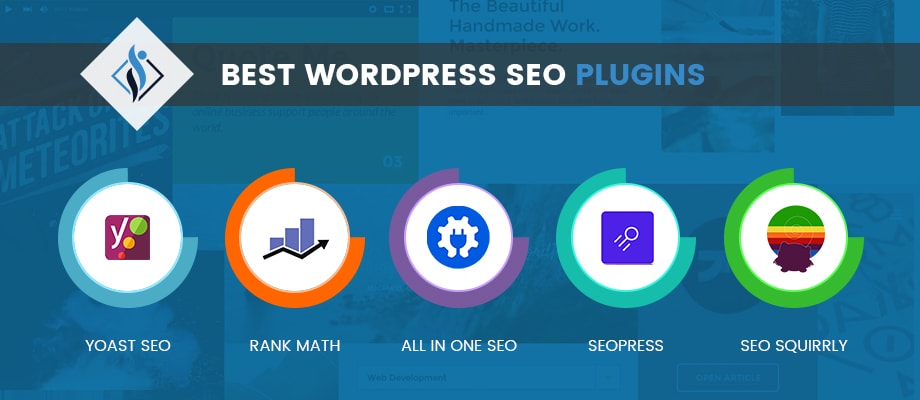
Choosing the best SEO plugin depends on your needs. Some popular options include Yoast SEO, All in One SEO Pack, and Rank Math. Each plugin offers unique features and benefits.
Here is a comparison table of popular SEO plugins:
| Plugin | Features | Ease of Use | Price |
|---|---|---|---|
| Yoast SEO | Keyword optimization, readability analysis, XML sitemaps | Easy | Free/Premium |
| All in One SEO Pack | XML sitemaps, social media integration, e-commerce support | Moderate | Free/Premium |
| Rank Math | Keyword tracking, 404 monitoring, schema markup | Easy | Free/Premium |
Consider these factors when selecting an SEO plugin:
- Features
- Ease of use
- Support and documentation
- Price
Using the right SEO plugin can make a significant impact on your website’s performance. Choose wisely to get the most out of your WordPress site.
Criteria For Evaluating Seo Plugins
Choosing the best SEO plugin for WordPress can be challenging. There are many options. To help, we’ve identified key criteria to evaluate SEO plugins. This ensures your website ranks higher in search engines.
Ease Of Use
An SEO plugin should be easy to use. Users should understand it quickly. Look for intuitive interfaces and clear instructions. A good plugin should offer a smooth setup process. It should also have helpful tooltips and guides.
Features And Functionality
The best SEO plugins offer a variety of features. They should cover all your SEO needs. Here are some essential features to look for:
- Keyword Optimization
- Content Analysis
- XML Sitemaps
- Meta Tags Management
- Link Management
- Social Media Integration
Ensure the plugin supports schema markup and local SEO options. These features enhance your site’s visibility.
Customer Support
Effective customer support is crucial. It helps resolve issues quickly. Look for plugins with comprehensive documentation. Ensure they offer live chat or email support. Check if they have active forums or communities. These can be great resources for troubleshooting.
| Criteria | Importance |
|---|---|
| Ease of Use | High |
| Features and Functionality | Very High |
| Customer Support | Medium |
By focusing on these criteria, you can find the best SEO plugin for your needs.
Yoast Seo
Yoast SEO is one of the most popular SEO plugins for WordPress. It helps website owners optimize their content for search engines. This plugin is user-friendly and packed with features to improve your site’s SEO performance.
Key Features
- Content Analysis: Yoast SEO provides real-time content analysis to ensure your posts are SEO-friendly.
- Meta Tags: Easily edit meta titles and descriptions for better search engine visibility.
- Sitemap Generation: Automatically generates XML sitemaps for your site.
- Readability Check: Offers readability analysis to make your content easier to read.
- Focus Keywords: Optimize your posts for specific keywords and phrases.
- Internal Linking: Suggestions for internal links to improve site navigation.
Pros And Cons
| Pros | Cons |
|---|---|
|
|
Pricing
- Free Version: Offers a wide range of features at no cost.
- Premium Version: Starts at $89 per year for one site. Includes advanced features like:
- Redirect manager
- Internal linking suggestions
- 24/7 support

All In One Seo Pack
Choosing the right SEO plugin for WordPress can boost your site’s performance. One popular choice is the All in One SEO Pack. This plugin is known for its user-friendly interface and comprehensive features. Let’s explore its key features, pros and cons, and pricing.
Key Features
- XML Sitemap Support: Automatically generate sitemaps for search engines.
- Google Analytics Integration: Easily connect your site with Google Analytics.
- Social Media Integration: Optimize your content for social sharing.
- Schema Markup: Add structured data to improve search visibility.
- SEO Meta Tags: Customize titles, meta descriptions, and keywords.
- WooCommerce Support: Optimize your online store products and categories.
Pros And Cons
| Pros | Cons |
|---|---|
| – Easy to use, even for beginners. | – Limited advanced features in the free version. |
| – Comprehensive documentation available. | – Some settings can be overwhelming. |
| – Regular updates and improvements. | – Support can be slow for free users. |
| – Built-in tools for social media. | – Premium version can be pricey. |
Pricing
- Free Version: Offers basic SEO tools.
- Pro Version: Starts at $49.50/year with advanced features.
- Elite Version: Costs $299.50/year with priority support and updates.
Rank Math
Are you searching for the best SEO plugin for WordPress? Look no further than Rank Math. Rank Math is a powerful tool that helps optimize your website for search engines. It’s user-friendly and packed with features.
Key Features
Rank Math offers a range of features to boost your SEO. Here are some key features:
- Easy Setup Wizard: Quickly set up your SEO settings.
- Smart Automation: Automate many SEO tasks.
- Advanced SEO Analytics: Get detailed reports on your website’s performance.
- Google Schema Markup: Add structured data to your site easily.
- Keyword Optimization: Optimize your posts for multiple keywords.
Pros And Cons
| Pros | Cons |
|---|---|
| Easy to use | Can be overwhelming for beginners |
| Comprehensive features | Some features are premium |
| Frequent updates | Learning curve for advanced settings |
| Excellent support | May slow down your site |
Pricing
Rank Math offers both free and paid versions. Here is a breakdown of the pricing:
- Free Version: Includes basic SEO features.
- Pro Version: $59 per year for advanced features.
- Business Version: $199 per year for more extensive features.
- Agency Version: $499 per year for large-scale websites.
Choose the version that fits your needs and budget. Rank Math provides excellent value for money.
Seopress
SEOPress is a powerful SEO plugin for WordPress. It helps improve your site’s visibility on search engines. SEOPress is user-friendly and offers a range of features. Let’s dive deeper into what makes SEOPress stand out.
Key Features
- Meta Titles and Descriptions: Customize meta titles and descriptions for better SEO.
- XML and HTML Sitemaps: Generate sitemaps to help search engines crawl your site.
- Google Analytics Integration: Easily integrate Google Analytics to track your site’s performance.
- Content Analysis: Get real-time content analysis to optimize your posts.
- Social Media Integration: Manage how your content appears on social media platforms.
- Breadcrumbs: Add breadcrumbs to improve site navigation and SEO.
Pros And Cons
| Pros | Cons |
|---|---|
| Easy to use and set up | Some features require the Pro version |
| Comprehensive documentation | Learning curve for beginners |
| Affordable compared to competitors | Limited free support |
| Highly customizable | Can be overwhelming with too many options |
Pricing
SEOPress offers a free version with essential features. For more advanced features, consider SEOPress Pro. The Pro version is priced at $39 per year. This includes updates and support for unlimited sites. SEOPress is a cost-effective solution for most users.
The Seo Framework
Choosing the best SEO plugin for WordPress can be challenging. Many options exist, but one stands out: The SEO Framework. This plugin offers a user-friendly interface and powerful features. Let’s dive into what makes it unique.
Key Features
The SEO Framework is packed with useful features. Here are some key highlights:
- Automated SEO: The plugin automates many SEO tasks.
- Structured Data: It supports schema.org markup.
- Canonical URLs: Prevents duplicate content issues.
- Breadcrumbs: Enhances site navigation and user experience.
- Flexible Settings: Adjust settings to fit your needs.
Pros And Cons
Like any plugin, The SEO Framework has its pros and cons. Here’s a quick rundown:
| Pros | Cons |
|---|---|
|
|
Pricing
The SEO Framework offers flexible pricing plans:
- Free Plan: Basic features available at no cost.
- Essentials Plan: $7/month, includes advanced features.
- Premium Plan: $17/month, offers all features and priority support.
The free plan is good for small websites. Premium plans cater to larger sites with more needs.
Comparing Top Seo Plugins
Choosing the best SEO plugin for WordPress can be challenging. There are many options available. This section compares the top SEO plugins. We will look at features, pricing, and user reviews.
Feature Comparison
| Plugin | Key Features |
|---|---|
| Yoast SEO |
|
| All in One SEO Pack |
|
| Rank Math |
|
Pricing Comparison
| Plugin | Free Version | Paid Version |
|---|---|---|
| Yoast SEO | Yes | Starting at $89/year |
| All in One SEO Pack | Yes | Starting at $49.50/year |
| Rank Math | Yes | Starting at $59/year |
User Reviews
- Highly recommended for beginners
- Comprehensive features
- Some users find it too complex
- Easy to use
- Great for advanced users
- Some features need improvement
- Excellent customer support
- Highly customizable
- Learning curve for new users
Best Seo Plugin For Beginners
Choosing the right SEO plugin for WordPress can be daunting. For beginners, ease of use and effective features are crucial. Let’s explore the best SEO plugin for beginners.
Ease Of Setup
The best SEO plugin for beginners should have an easy setup process. You shouldn’t need technical skills to get started.
Look for plugins with a simple installation wizard. These guides help configure your settings step-by-step.
Some plugins offer a one-click setup. This feature saves you time and effort.
| Plugin | Setup Ease |
|---|---|
| Yoast SEO | Quick Setup Wizard |
| All in One SEO Pack | One-Click Setup |
| Rank Math | User-Friendly Installation |
User-friendly Features
The best plugin should have user-friendly features. These features help you improve your SEO without hassle.
- Keyword optimization: Helps you choose the right keywords.
- Content analysis: Provides tips to improve your content.
- XML sitemaps: Automatically generates sitemaps for search engines.
Yoast SEO, for example, offers a readability checker. This tool ensures your content is easy to read.
Rank Math provides a focus keyword feature. It helps you optimize your post for a specific keyword.
All in One SEO Pack includes advanced settings for more control. Beginners can use the default settings and still get great results.
Best Seo Plugin For Advanced Users
Advanced users need powerful tools to enhance their WordPress sites. The best SEO plugin for experts offers advanced features and customization options. Such plugins can significantly improve your site’s search engine rankings.
Advanced Features
Advanced SEO plugins come with a plethora of features. These features help in optimizing the website efficiently. Some of the key features include:
- XML Sitemap Generation: Automatically creates XML sitemaps.
- Schema Markup: Adds rich snippets to your content.
- Content Analysis: Analyzes and scores your content for SEO.
- Keyword Tracking: Monitors keyword performance.
- SEO Audit: Conducts comprehensive site audits.
Customization Options
Customization is crucial for advanced users. The best SEO plugins offer extensive customization options. These options allow users to tailor the plugin to their specific needs.
| Feature | Description |
|---|---|
| Meta Tags Customization | Manually edit meta titles and descriptions. |
| Robots.txt Editor | Customize the robots.txt file for better crawling. |
| Custom Canonical URLs | Set custom canonical URLs to avoid duplicate content. |
| Advanced Redirects | Create and manage advanced redirects. |
These features and options make these plugins indispensable for advanced users. They offer the right tools to dominate search engine rankings.
Common Seo Mistakes To Avoid
Understanding SEO mistakes is crucial for improving your WordPress site’s ranking. By avoiding these errors, your site can perform better in search engines.
Overusing Keywords
One common mistake is overusing keywords. This practice, known as keyword stuffing, can harm your site’s ranking. Search engines like Google may penalize your site for this behavior.
Instead, focus on natural language. Use keywords sparingly and ensure they fit seamlessly into your content. This approach makes your content more readable and engaging.
Ignoring Meta Descriptions
Another frequent mistake is ignoring meta descriptions. Meta descriptions provide a brief summary of your page’s content. They appear in search engine results under the page title.
A well-crafted meta description can increase your page’s click-through rate. Ensure each page has a unique and compelling meta description. This boosts your site’s visibility and attractiveness in search results.
Tips For Effective Seo
- Use keywords naturally in your content.
- Create unique meta descriptions for each page.
- Ensure your content is readable and engaging.
| SEO Mistake | Impact | Solution |
|---|---|---|
| Overusing Keywords | Penalizes site ranking | Use keywords naturally |
| Ignoring Meta Descriptions | Lower click-through rate | Write unique meta descriptions |
Final Thoughts On Seo Plugins
Finding the best SEO plugin for WordPress can be challenging. Many options are available. Each plugin offers unique features. Choosing the right one requires careful consideration.
Choosing The Right Plugin
Choosing the right SEO plugin depends on your website’s needs. Some plugins focus on ease of use. Others offer advanced features for experts. Here are some factors to consider:
- Ease of Use: Look for a plugin that is easy to install and use.
- Features: Check if the plugin offers keyword optimization, meta tags, and sitemaps.
- Support: Ensure the plugin has good customer support and documentation.
- Compatibility: Make sure the plugin is compatible with your current theme and other plugins.
Future Of Seo Plugins
The future of SEO plugins looks promising. Developers are constantly improving features. They are incorporating AI and machine learning. These advancements help in better keyword analysis and content optimization.
Regular updates ensure that the plugins stay relevant. They adapt to changes in search engine algorithms. This helps maintain or improve your website’s ranking.
| Plugin | Key Features |
|---|---|
| Yoast SEO | Ease of use, keyword optimization, meta tags |
| All in One SEO | Sitemaps, social media integration, advanced options |
| SEOPress | All-in-one solution, white-label, WooCommerce integration |
Frequently Asked Questions
What Is The Best Seo Plugin For WordPress 2024?
The best SEO plugin for WordPress in 2024 is Yoast SEO. It offers comprehensive features and user-friendly tools for optimizing content.
What Is The Best Free Seo Tool For WordPress?
The best free SEO tool for WordPress is Yoast SEO. It offers keyword optimization, readability analysis, and XML sitemaps.
Is Seo Plugin Necessary For WordPress?
Yes, an SEO plugin is necessary for WordPress. It optimizes your site for search engines, improving visibility and traffic.
How Do I Get Good Seo On WordPress?
Optimize your site with an SEO-friendly theme. Use relevant keywords in your content. Install an SEO plugin. Ensure fast loading times. Create quality backlinks.
What Is The Best Seo Plugin For WordPress?
Yoast SEO is widely considered the best SEO plugin for WordPress due to its comprehensive features and user-friendly interface.
Is Yoast Seo Free?
Yes, Yoast SEO offers a free version with essential features. There is also a premium version with advanced options.
Conclusion
Choosing the best SEO plugin for WordPress depends on your needs. Popular options include Yoast SEO and All in One SEO Pack. Both offer robust features for optimizing your site. Experiment with each to find the best fit. Enhance your website’s visibility and drive more traffic efficiently.

